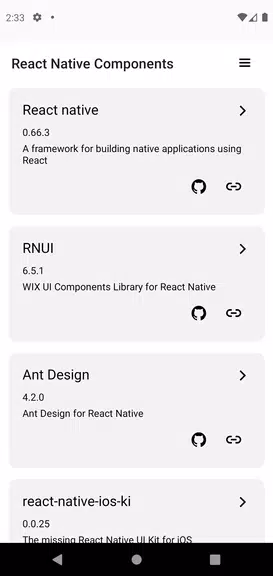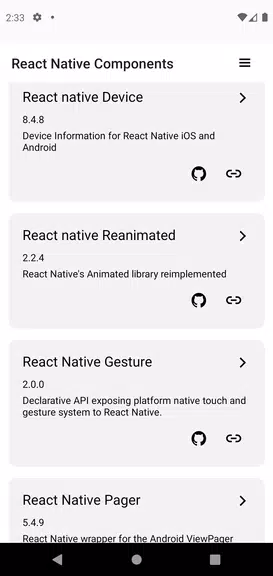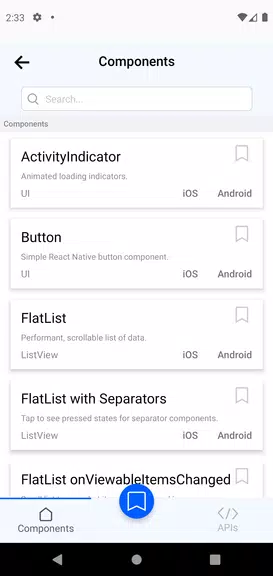
Discover a comprehensive collection of Expo and React Native UI components with our innovative Explorer app. Eliminate guesswork during integration through instant, interactive previews that let you see exactly how each component will look and feel in your own project. Explore and evaluate before you commit, saving development time and minimizing rework by understanding each component's details and flexibility upfront. Navigate the library quickly with our seamless interface, allowing you to focus on building excellent applications without tedious manual setup.
Key Features of the Expo & React Native Components Explorer:
1. Instant UI Component Previews
Visualize UI components immediately to remove all uncertainty during the integration process. This "try before you implement" approach lets you confirm a component's look and behavior within your project's context, ensuring it aligns perfectly with your design vision.
2. Deep Component Examination
Thoroughly explore and understand the specific characteristics of each component before adding it to your codebase. This proactive insight helps developers avoid common integration issues by revealing features and adaptability, leading to better choices and less debugging.
3. Fast, Intuitive Navigation
Built for developer efficiency, the app enables rapid browsing and inspection of components. Its streamlined interface delivers detailed information instantly, removing the need for lengthy manual configuration so you can concentrate on creating high-quality apps.
4. Authentic, Interactive Demos
To deliver a true-to-life demonstration of how components interact with device features, the app may request certain permissions. This ensures you experience components as they would perform in actual use, deepening your practical understanding for effective implementation.
5. Complete Library Showcase
The app provides demonstrations for the full range of React Native components and core APIs. This comprehensive overview is essential for developers aiming to utilize the complete power of React Native in their application development.
6. Continuous Updates & Enhancements
We consistently update the app to incorporate the latest stable versions of React Native and its supporting libraries. This dedication to currency guarantees you always have access to the most recent features, improvements, and best practices.
Helpful Tips for Users:
* Utilize the search functionality to locate specific components swiftly. This streamlines your workflow and helps you address your project's unique requirements directly.
* Leverage the in-depth component information within the app to grasp functionality and learn how to tailor each component to your specific project needs.
* Experiment with combining various components to visualize how they interact and to build a unified, polished design for your application.
Final Thoughts:
Begin a streamlined discovery process for your next project with the Expo & React Native Components Explorer. Instant previews, comprehensive details, and an intuitive interface empower developers to select ideal components with certainty. Leave behind uncertain integrations and laborious customization—download the app today and build remarkable applications with confidence.