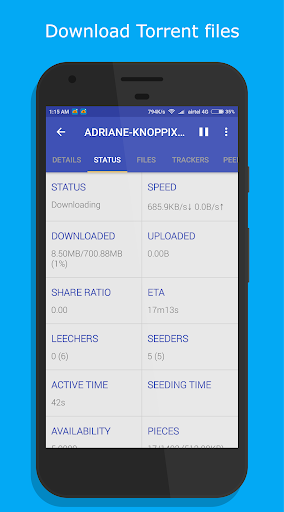
1DM Lite: Browser & Downloader is a lightweight, fast Android download manager that supports multi-threaded downloads, torrents, and browser resource detection. It’s completely ad-free and delivers fast, stable downloads.
Key Features of 1DM Lite: Browser & Downloader
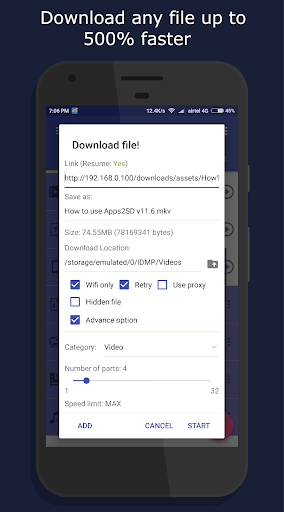
Speed: Download files up to 500% faster than standard downloaders for a quick and efficient experience.
Multiple File Downloads: Download several files at the same time using any browser, saving you time and effort.
Versatility: Support for numerous file types—videos, music, documents, and more—lets you download a wide variety of content.
User-Friendly Interface: IDM Lite features a clean, intuitive interface that’s straightforward to use.
Frequently Asked Questions
Is IDM Lite free?
- Yes, the app is free to download and use. A paid version with extra features is also available.
Can I download YouTube content with IDM Lite?
- No, due to YouTube's policy restrictions, downloading videos is not supported.
How much storage does IDM Lite take?
- It uses only 8 MB of storage, keeping it lightweight and efficient.
Download Manager Capabilities
1DM Lite shines as a download manager with multi-threaded and multi-part downloads (up to 16 parts per file). It supports all major formats—archives, music, videos, documents, and apps. You can pause, resume, and schedule downloads, with unlimited retries and speed limiting. Downloads run in the background, and WiFi-only mode helps save mobile data.
Browser Functionalities
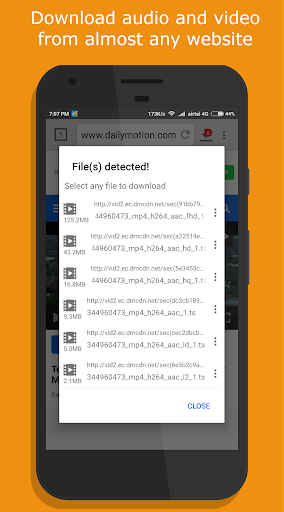
The built-in browser offers smooth multi-tab browsing with history and bookmark support, plus incognito mode for privacy. It automatically detects music and video links from websites for easy downloading.
User-Friendly Features
Designed for convenience, 1DM Lite includes dark/light themes and multi-language support. Save files directly to an SD card, hide downloaded items, enable smart downloads when links are copied, and use auto-login for password-protected sites. Get extended notifications with progress updates, along with vibration and sound alerts when downloads finish.
Advanced Features
Power users can run up to 10 downloads at once, configure retry options, and benefit from smart error handling. The app also includes a download scheduler and supports importing/exporting download links via text files or clipboard. Organize files by name, size, date, type, or time.
Plus Version Perks
Upgrade to the Plus version for an ad-free interface, improved performance, up to 30 simultaneous downloads, and multi-part downloads with up to 32 parts. Proxy support with or without authentication is included for advanced networking setups.
What’s New in Version 15.2
Latest update: December 13, 2023