Quick Links
Innate techniques in Roblox's Jujutsu Infinite are powerful abilities fueled by cursed energy, enabling players to take down enemies effectively. These techniques come in various rarities: Common, Uncommon, Rare, Legendary, and Special Grade, each offering unique advantages in battle. At any given time, players can equip up to two innate techniques, but those with the Premium Game Pass can unlock two more slots, allowing them to access a total of four techniques during gameplay. Mastering these abilities can be a bit tricky for newcomers, but this guide will walk you through unlocking and enabling your innate techniques in Jujutsu Infinite.
How To Unlock Innate Techniques In Jujutsu Infinite
 To begin using your innate techniques, you first need to unlock them. Navigate to the Customize section and click on the Spin icon under the Innates tab. This action will randomly assign you one of the 19 available techniques. Repeat this for the second slot to complete your initial setup.
If you're not satisfied with the techniques you've been assigned, you can spin again to try your luck at getting a higher-tier technique. Accumulating spins can be achieved through daily missions, redeeming codes, AFK farming, and other methods within the game.
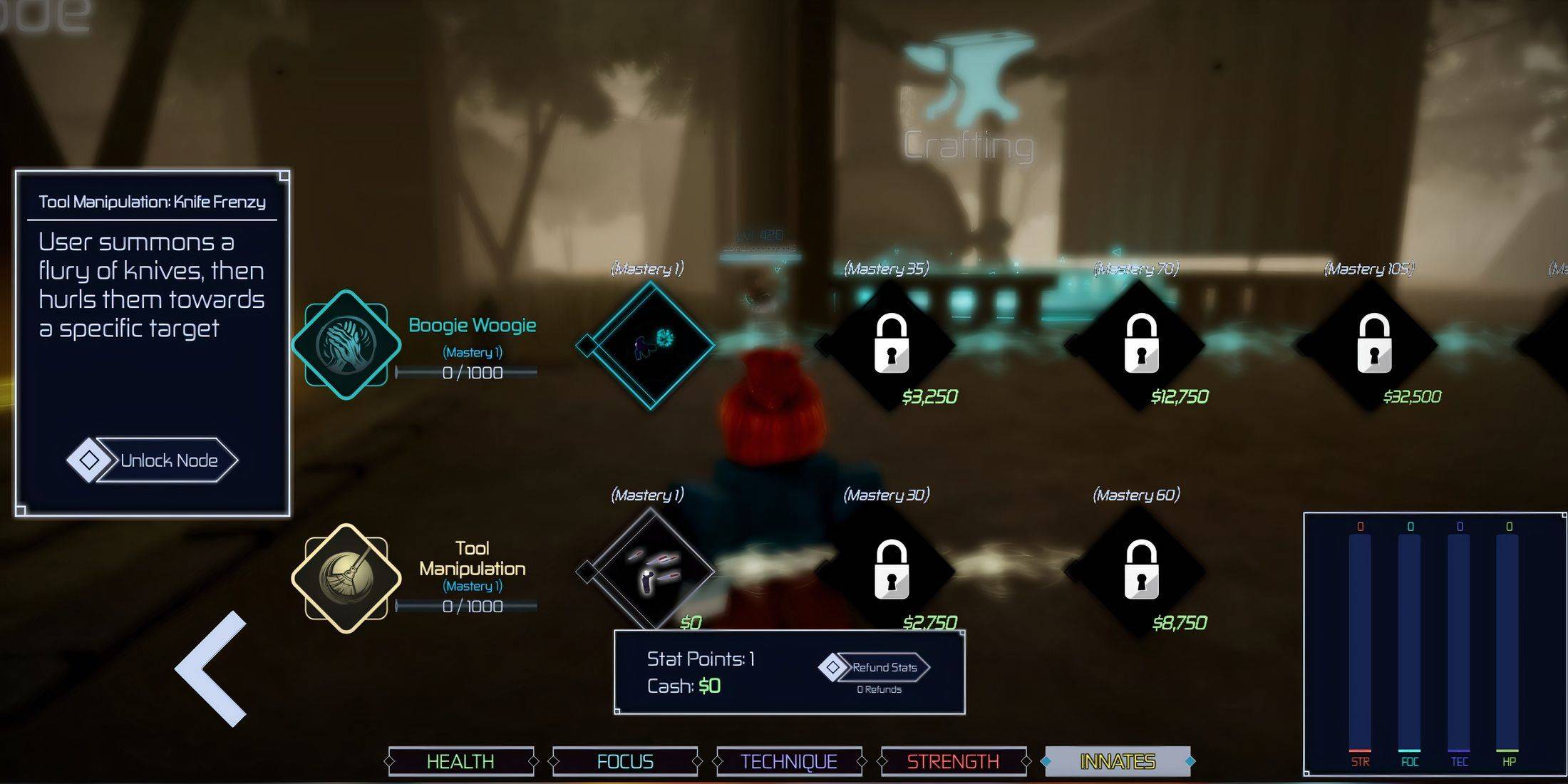
Once you've chosen your techniques, the next step is to unlock their nodes. Click on the Stats icon at the top of your screen (or at the bottom left if you're on PC), then navigate to the Innates button in the bottom bar. Click on the Mastery 1 icon next to your first technique. A mini note will appear, describing the ability and offering an Unlock Node button. Click this to access the ability. Follow the same process for your second technique.
How To Enable Innate Techniques In Jujutsu Infinite
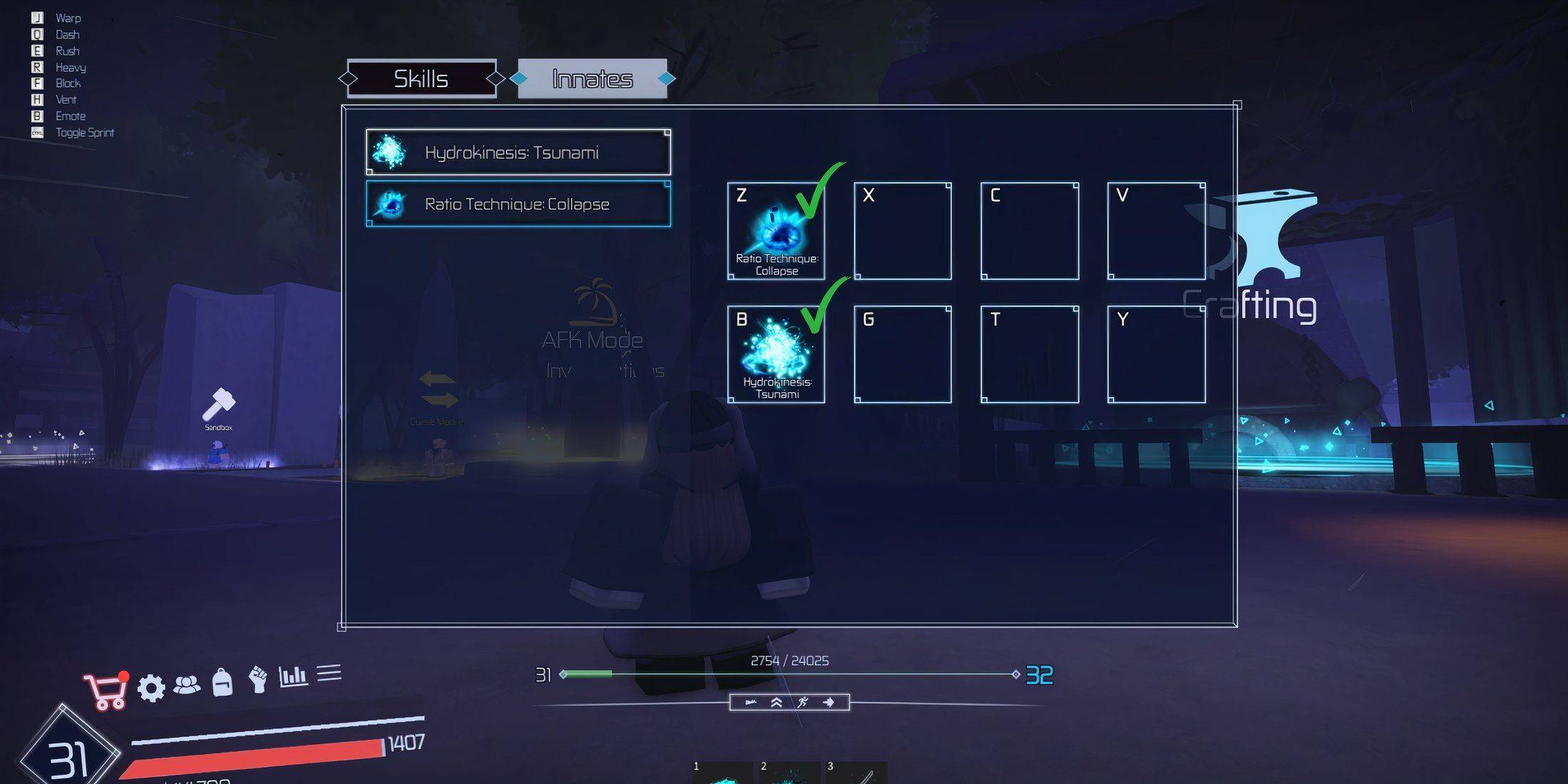 Once you've unlocked your innate techniques, enabling them in Jujutsu Infinite is straightforward. Here's how to activate your cursed abilities:
- Click on the fist-like icon (labeled Skills) near the Stats icon.
- Navigate to the Innates section to view all your available techniques in a pop-up window.
- Select an ability and assign it to one of the eight available slots by tapping on an empty box.
- Repeat this process for your other techniques.
With your techniques set up, you're ready to use them in-game. To activate your innate techniques, click on the shining blue light ball icon located at the middle and bottom of the screen. This will bring up your abilities, allowing you to select and apply them in the heat of battle.