Grid Drawing for Artists—overlay customizable grids on any image with extensive personalization options.
GridArt: The Ultimate Tool for Artists to Achieve Perfect Proportions and Precision!
Welcome to GridArt!
Whether you're a budding artist or an experienced professional, GridArt is the ideal app to refine your drawing skills and produce impressive artwork. Designed to simplify the grid drawing method, our application lets you overlay fully adjustable grids on your images, streamlining the process of transferring them accurately onto canvas or paper.
What Is the Grid Drawing Method?
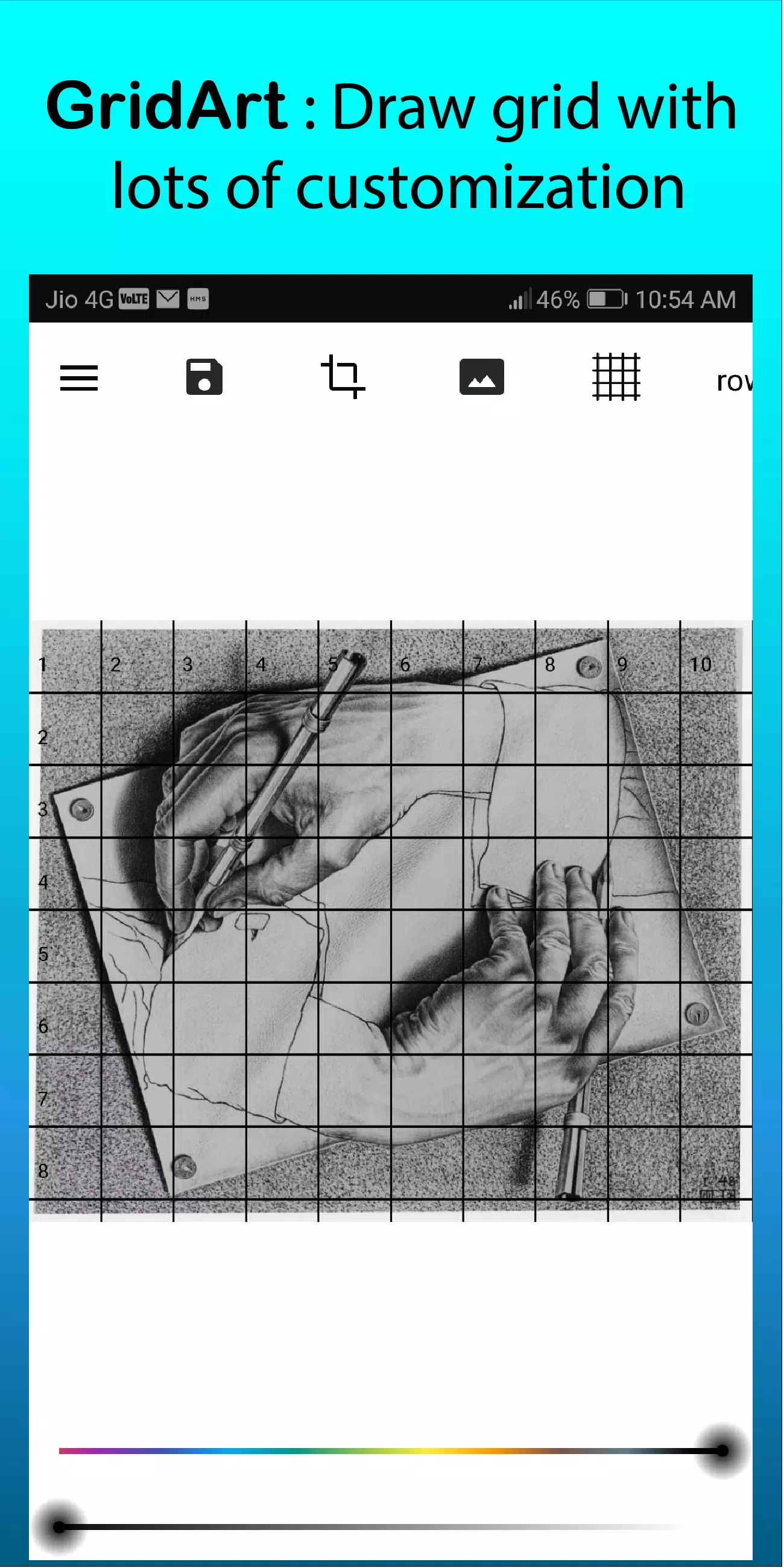
The grid drawing method is a time-tested technique that improves drawing accuracy and proportions by dividing both the reference image and drawing surface into equal squares. This approach lets you concentrate on one square at a time, simplifying detailed drawing and ensuring correct proportions throughout your artwork.
Why Choose GridArt: Grid Drawing for Artists?
For centuries, the grid method has helped artists simplify complex images into manageable sections. GridArt modernizes this classic technique with advanced customization, tailored to your specific artistic style and projects.
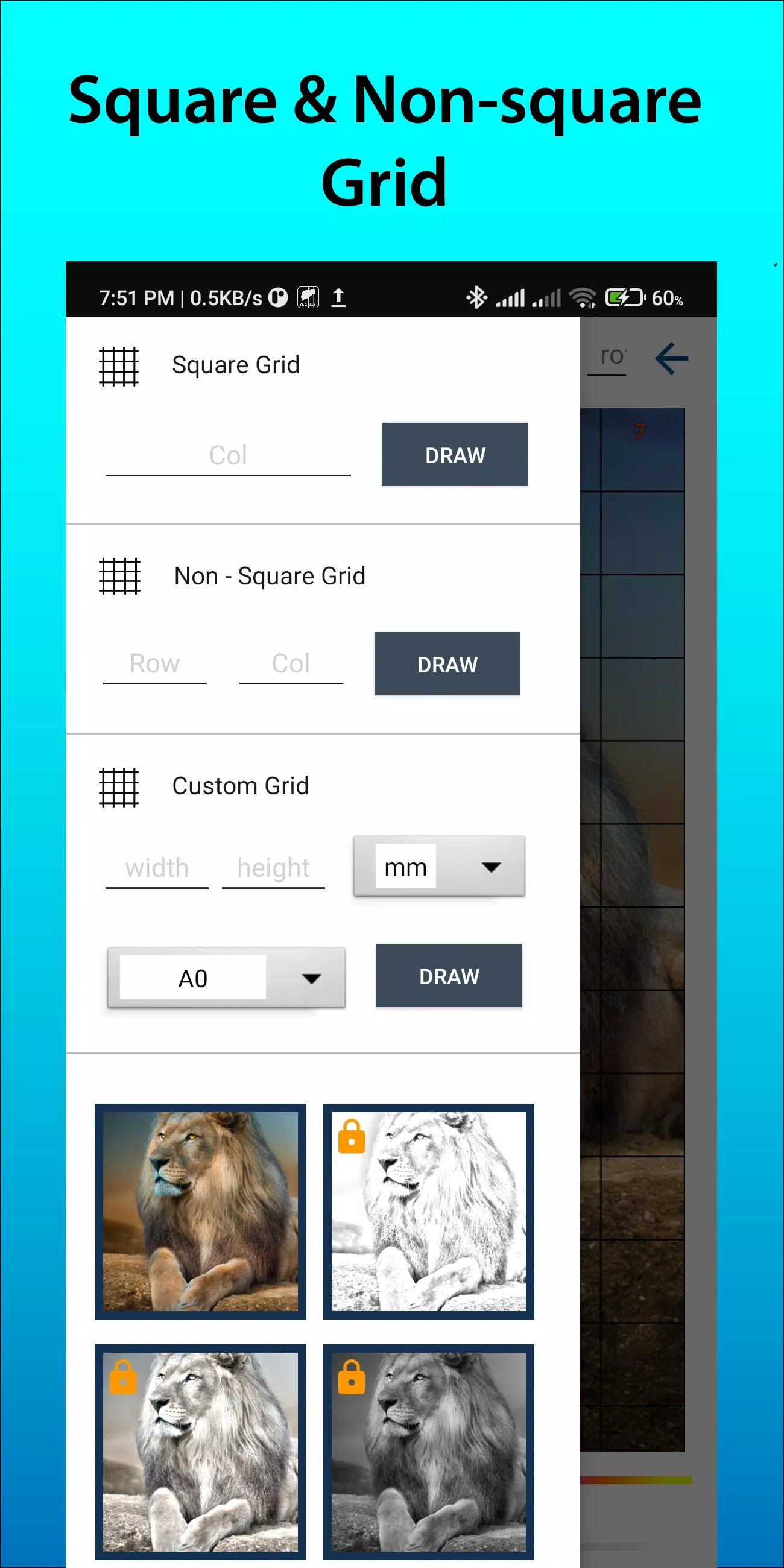
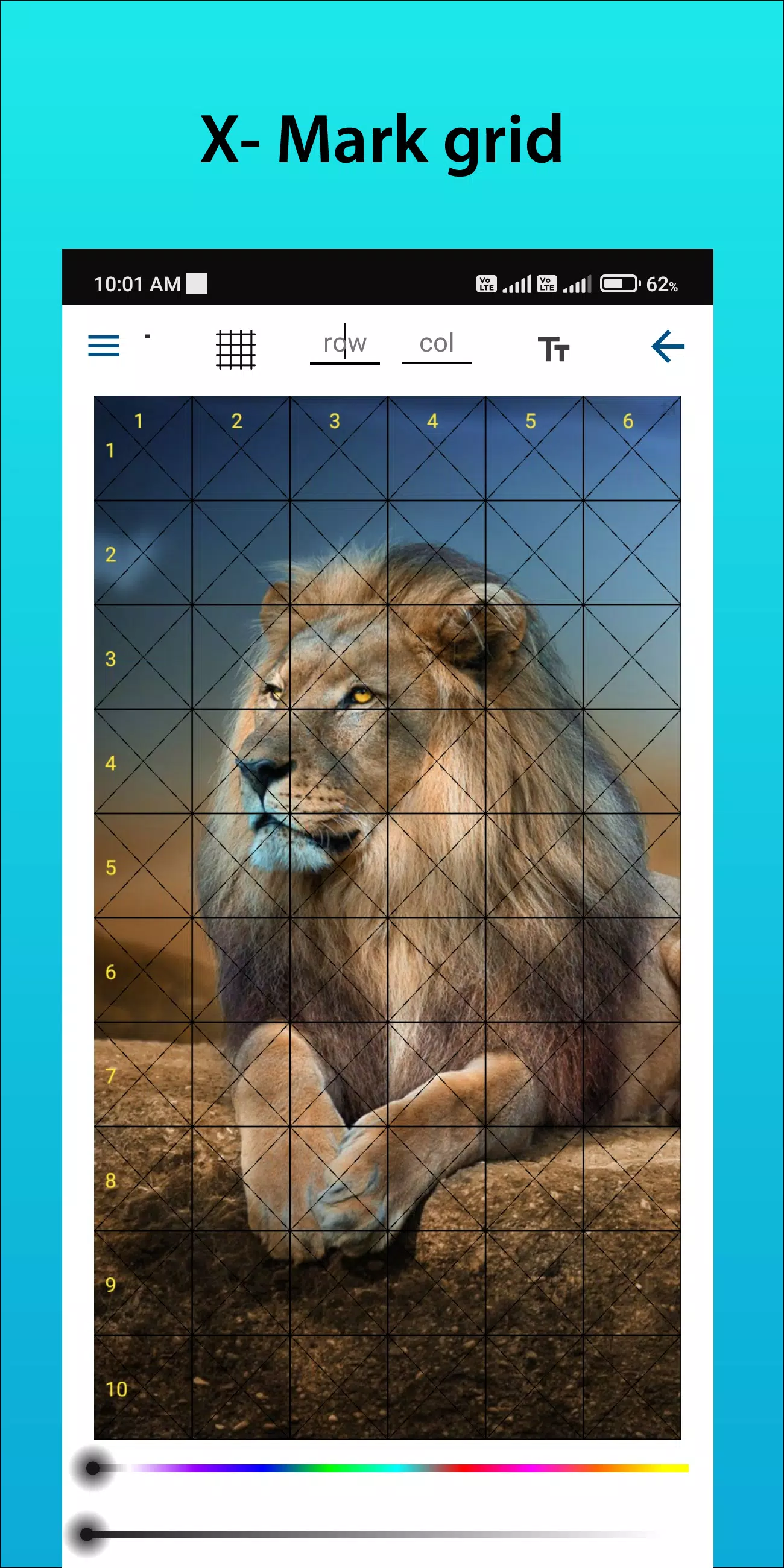
Customizable Grids: Select rows and columns, adjust grid line thickness and color, and even include diagonal lines for additional guidance.
User‑Friendly Interface: Our intuitive design makes it simple to upload images, set up grids, and save your progress.
High‑Resolution Output: Export your grid-overlaid images in high resolution for printing and reference.
How to Use GridArt
Here’s how the grid drawing method works:
Select Your Reference Image: Pick the photo you want to draw.
Apply a Grid Over the Reference Image: Overlay evenly spaced horizontal and vertical lines. You can use any number of squares, though 1‑inch or 1‑centimeter squares are commonly selected.
Draw a Corresponding Grid on Your Surface: Mark a matching grid onto your paper or canvas with the same number and proportions of squares as the reference image.
Transfer Image Details: Focus on one grid square at a time. Observe shapes, lines, and details in each reference square and replicate them in the same square on your drawing surface, maintaining accurate proportions and positioning.
Remove Grid Lines (Optional): After completing your drawing, gently erase any visible grid marks if desired.
Key Features of Grid Drawing
1. Overlay grids on any image—choose from your gallery and save for printing
2. Grid drawing with square, rectangle, or custom grids using user‑defined rows and columns
3. Crop images to any aspect ratio or standard formats like A4, 16:9, 9:16, 4:3, and 3:4
4. Toggle row‑column and cell numbering with customizable text sizes
5. Draw grids using different labeling styles
6. Draw with regular or dashed grid lines and adjust line width
7. Customize grid line color, opacity, and row‑column number appearance
8. Apply sketching filters for easier drawing
9. Grid drawing by measurement (mm, cm, inch)
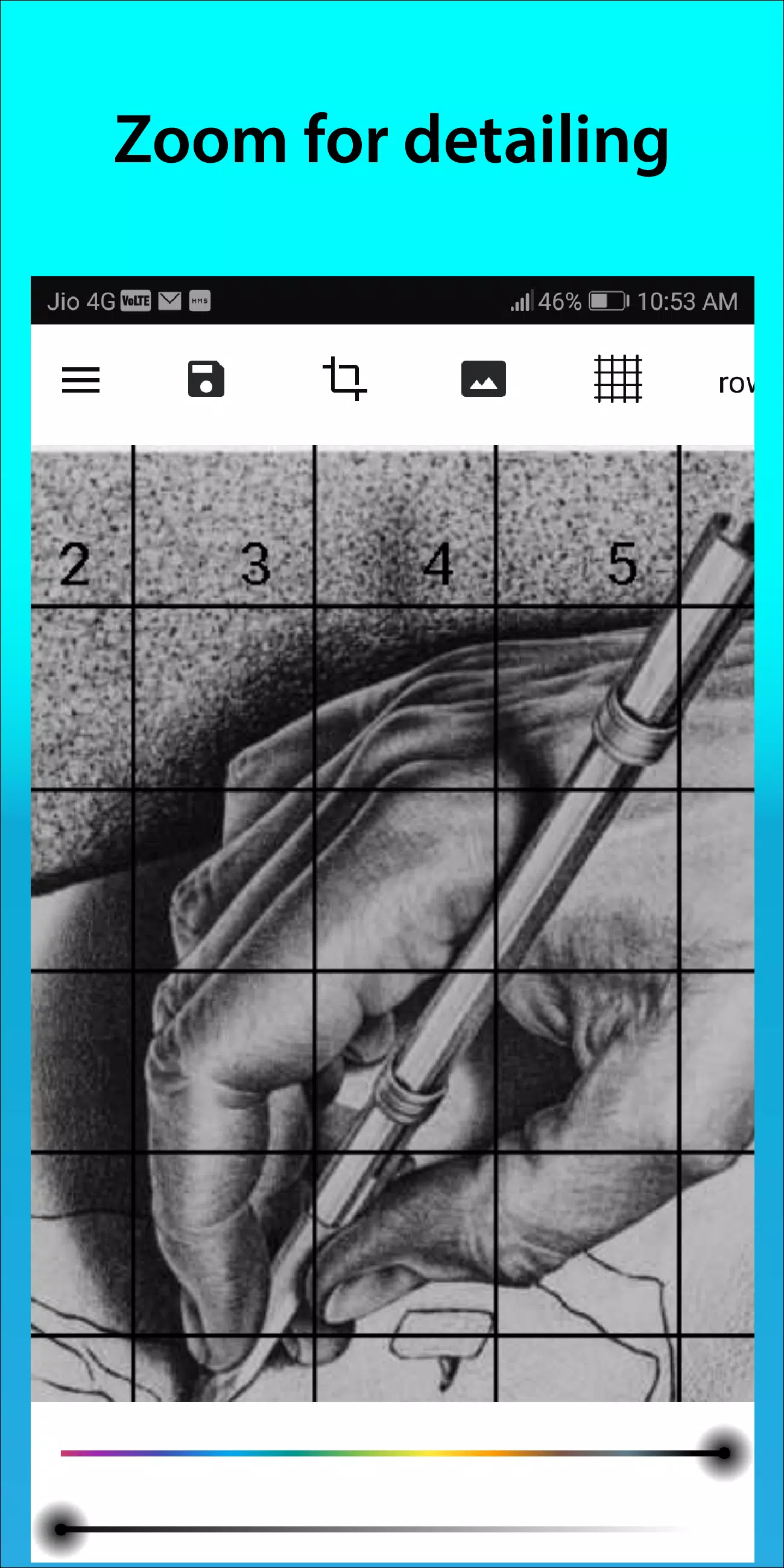
10. Zoom in on images to capture intricate details
Follow us on Instagram @gridArt_sketching_app and contact us with questions or feedback. Use #gridArt on Instagram for a chance to be featured.
What's New in Version 1.8.3
Last updated on Sep 14, 2024
# Screen lock added


![Silv4Life Design [Blog & Shop]](https://images.hzyry.com/uploads/86/173464747667649eb4baf1c.webp)